Support / Help desk
Need a hand?
Real people answer every email. The Staminabar app is coming soon to iOS App Store.
Health permissions
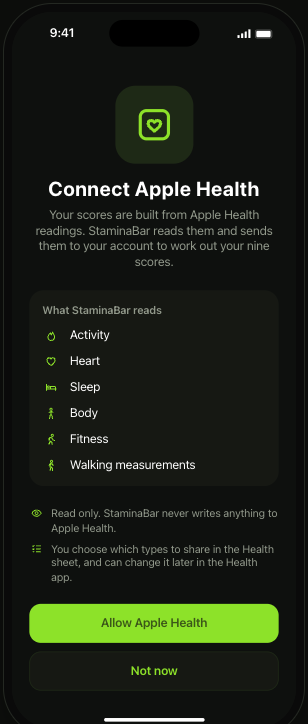
- Read only. Staminabar reads Apple Health and never writes anything back.
- You choose. Pick which types to share in the Health permission sheet.
- Change anytime. Update your choices later in the Health app.
- Not now is fine. You can skip it and go straight to the app.
Delete your account
Deletion is immediate and permanent. It removes your account, email, devices, game connections and readings. Backup copies age out within 35 days.
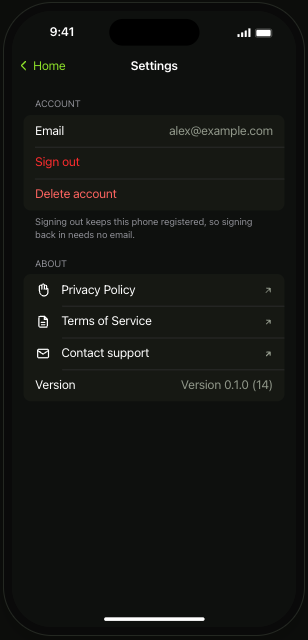
Tap Delete account. Privacy Policy and Terms open inside the app, and Contact support opens Mail.
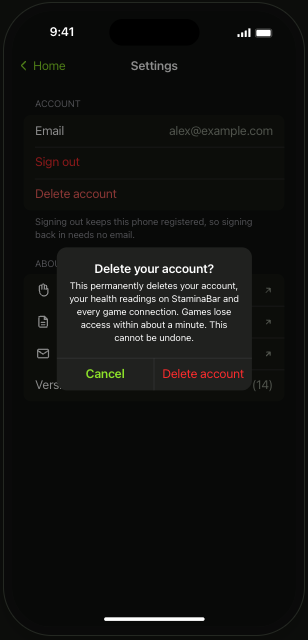
Deletion starts right away. If it fails, the app offers Cancel or Retry.
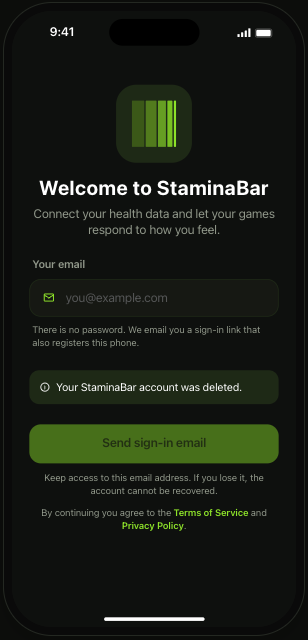
You land back on the email screen with a notice that your account was deleted.
Policies
Still stuck? Read the player guide.